Saved in your ★ Library
CanvasBETA
Canvas brings every reference together.
Bring the cuts, looks, frames and sounds from your analyses onto one board. Plan a specific video with every reference and its source in view.
// research first · making next
Launch video · plan
Saved
Share
Saved in your ★ Library
Saved in your ★ Library
Saved in your ★ Library
Saved in your ★ Library
Saved in your ★ Library
Open on the problem, not the product.
This is the hook to beat.— sam
Saved in your ★ Library
100%
Drag the board · click a card for its source
189 teardowns, taken apart cut by cut
/// the pile
The swipe file keeps growing. The plan does not.
You analyse video after video. A cut lands in a screenshot. A look lives in a folder. A sound is buried in a link. When it is time to make something, the swipe file is full of ideas but short on direction.
You should not have to screenshot every moment or rebuild the link trail by hand. Analysis shows you what spoke to you. It does not, by itself, make the next video easier to plan.
the pile · 01
A moment without its context
The frame is saved. The cut, sound or reason it mattered is harder to find.
the pile · 02
A reference without a destination
The idea is interesting. Nobody has marked where it belongs in the video you are making.
the pile · 03
A pile without a handoff
The founder, team or production partner sees a collection of links instead of a clear direction.
/// the board
One board for the video you want to make.
Canvas brings your analyses together. Audit the pile from many videos. Filter it down to the exact cuts, looks, frames and sounds that belong in this direction.
Then build a vision board or mood board around the video itself. Keep the idea, the reason and the source together as the direction takes shape.
A founder can keep a launch video’s research in one place. A team can review the same evidence. An agency can hand an editor or production house a board that says what the client wants and where each idea came from.
01 · audit
Audit the pile
See the patterns across your analyses. Keep the moments that earn a place in this video.
02 · filter
Filter the direction
Pull the exact cuts, looks and sounds that speak to the brief. Leave the rest in the collection.
03 · hand off
Hand off the intent
Give production a visual direction they can work from, with the source behind every reference.
/// how Canvas works
Pin the evidence. Mark the direction.
step 01
Open a board.
Give the video its own place. Start wide enough to see the whole direction, then move in when one moment needs attention.
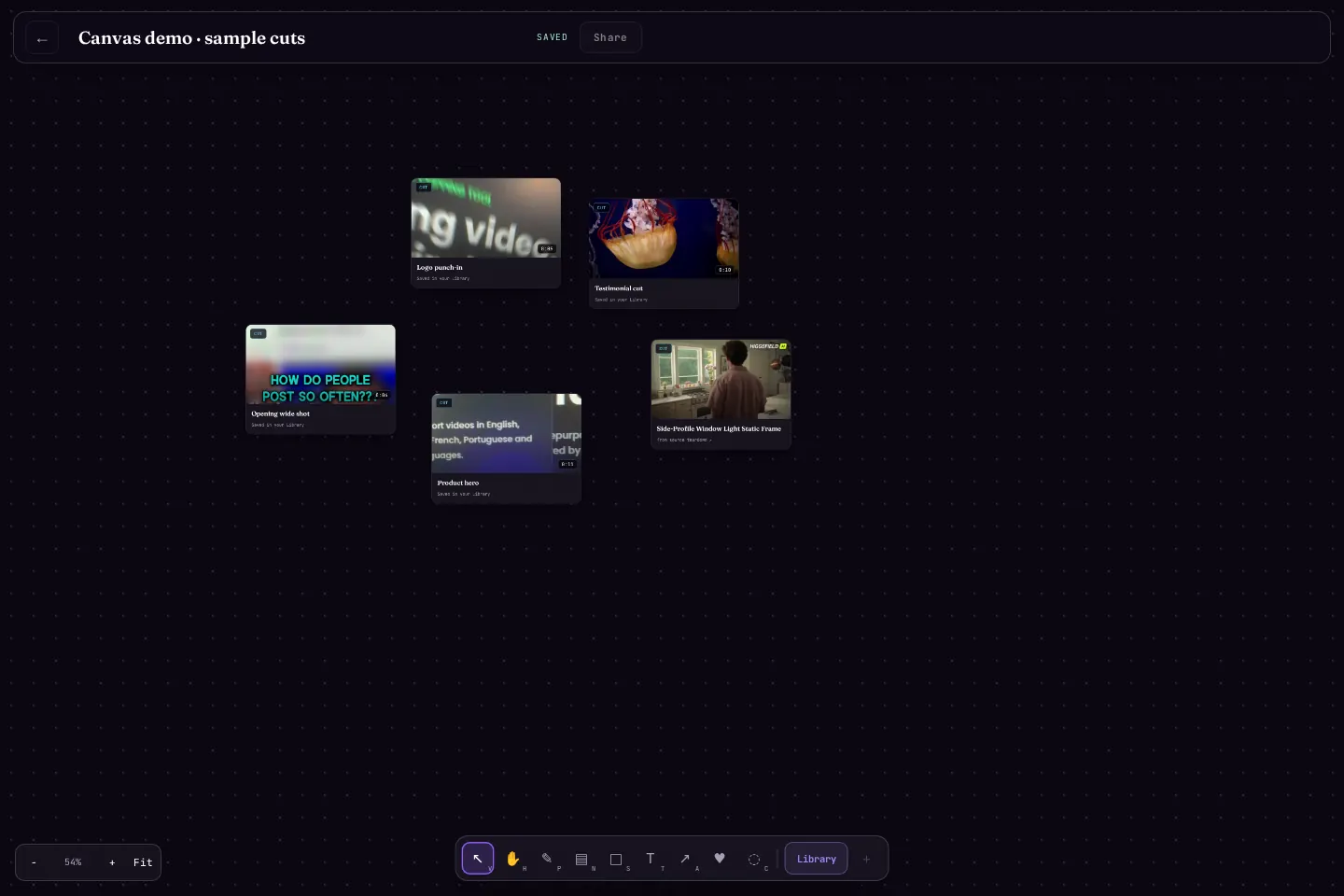 every reference in reach · saved
step 02
Pin the moments.
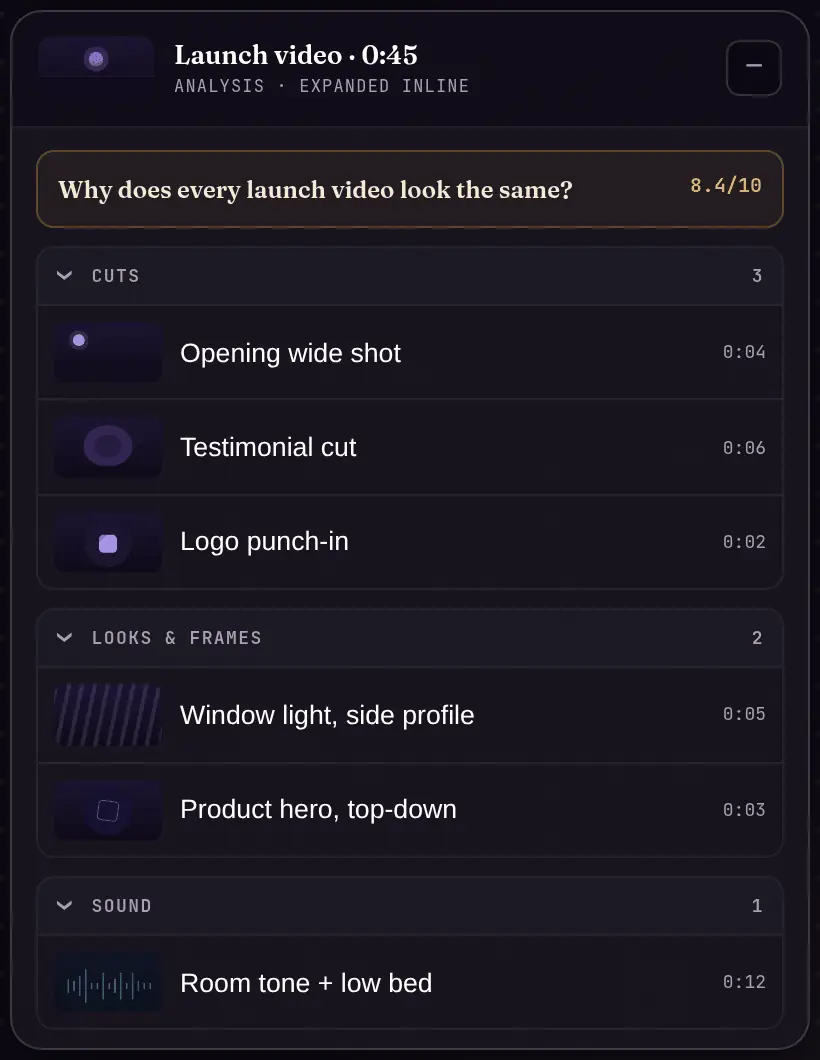
Bring cards in from your analyses and your ★ Library. Pin the exact cut, look, frame or sound that shapes the plan. The source stays with it.
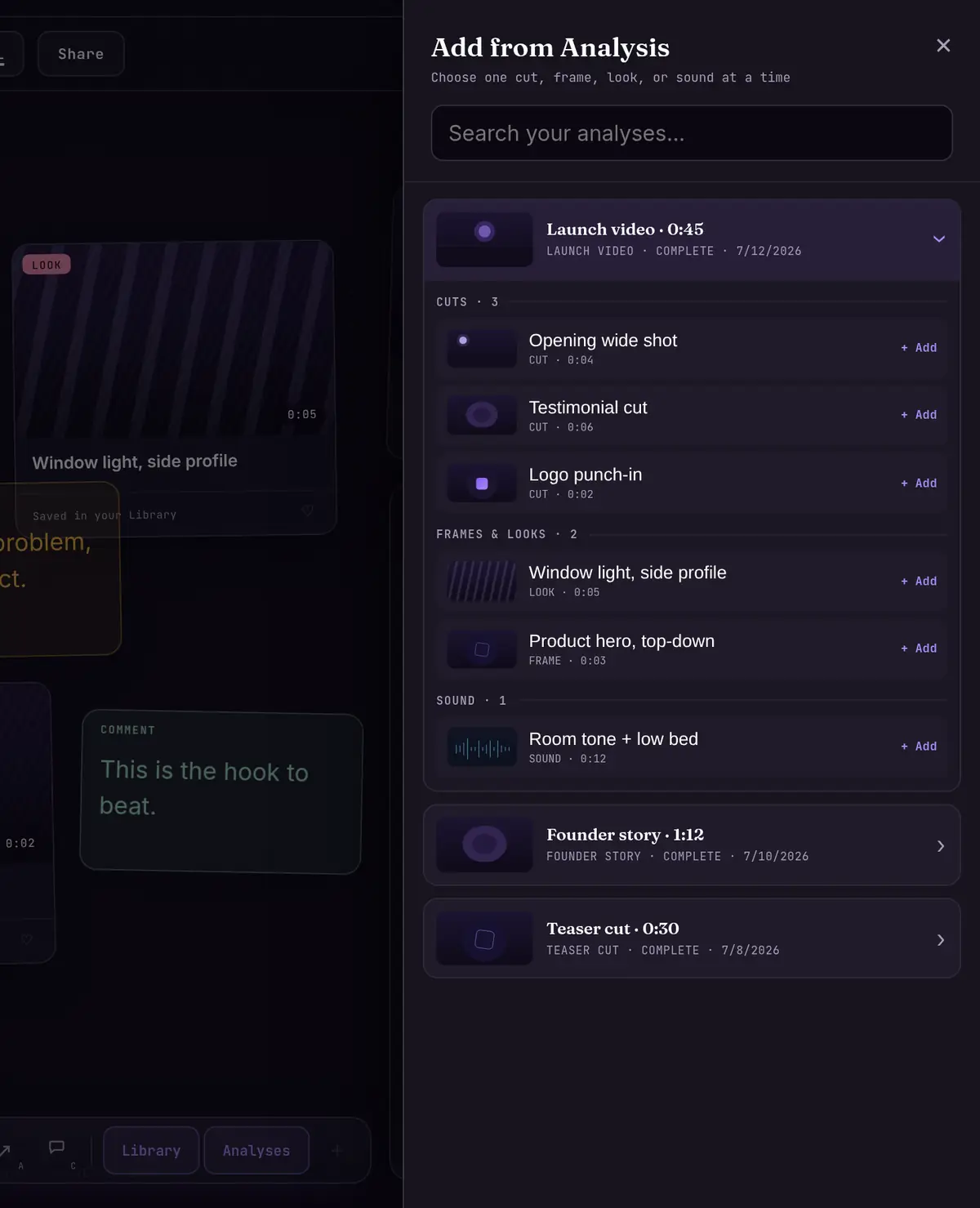 drag a cut onto the board
step 03
Mark it up.
Group the references into a vision or mood board. Add notes, labels and arrows. Make the intended direction clear before the editor or production house begins.
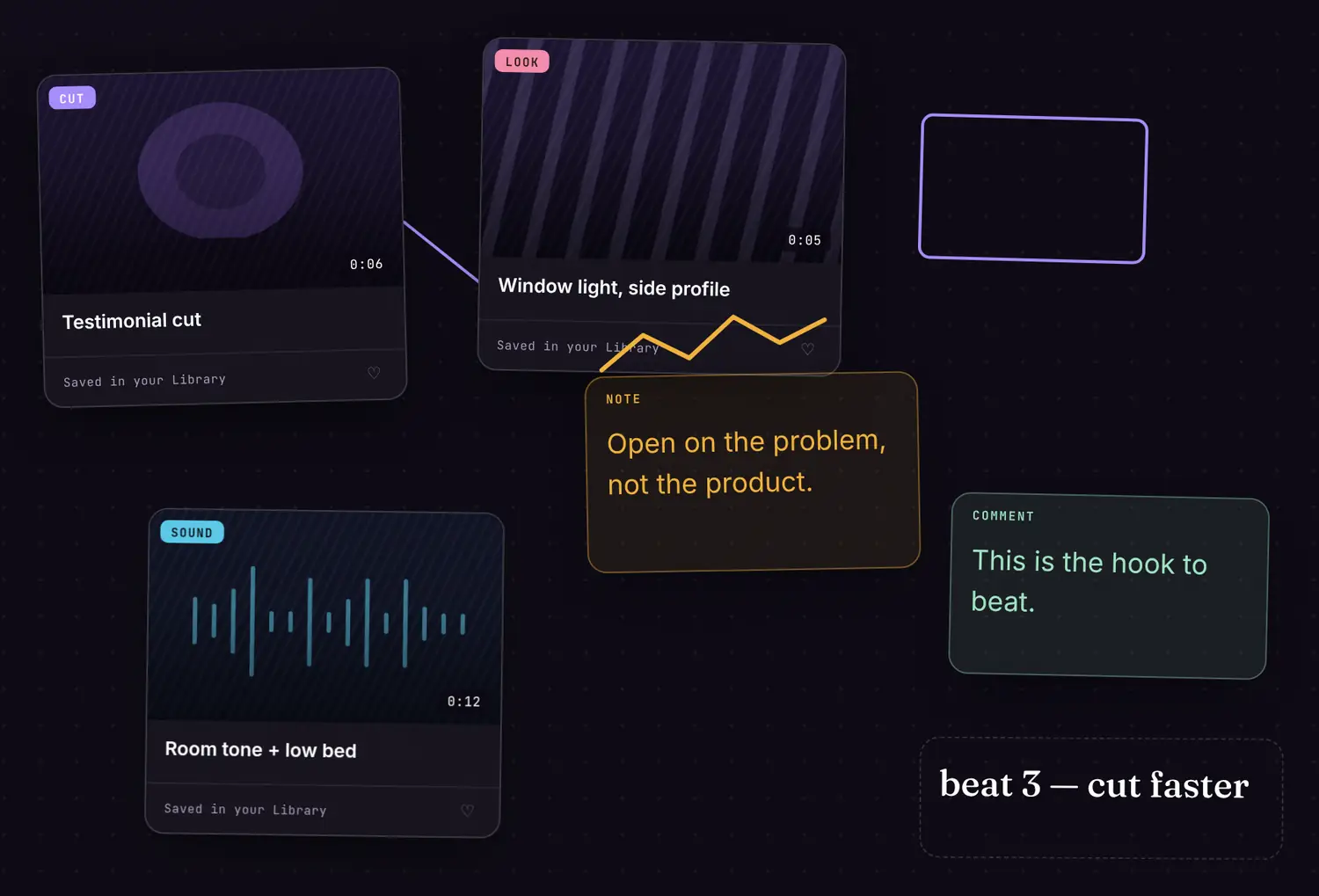 note · comment · arrow · shape
/// the lineage
Every good video has a lineage.
A good video is a collection of good ideas that came from somewhere. Someone sees a video. One scene speaks to them. That scene becomes a seed. Later, another person finds a different use for the same kind of feeling.
We do not make in a vacuum.
“All of our works emerge out of our influences, out of building upon the works and with the works of other people.”
Kirby Ferguson — Everything Is a Remix
“It’s not where you take things from—it’s where you take them to.”
Jim Jarmusch — MovieMaker
The point is not to reproduce the source. It is to understand what moved you, carry that influence forward and make a direction of your own.
Canvas is where that lineage gets honoured. The scene, the choice and the source stay visible as inspiration becomes a brief.
/// where Canvas is going
Research first. Creation next.
now — research first
Study the work.
Today, Canvas is research-first. Analyse the work. Gather the evidence. Decide what belongs in the next video. Build a board that your team or production partner can understand.
next — creation
Make inside the canvas.
The next step is making inside the canvas. Carry the direction from the references into the work itself, without losing the thinking that shaped it.
// the foundation comes first — canvas is in beta while it is being built · the board opens when it is ready
/// proof of source
Every card keeps its source.
A Canvas card is not a loose screenshot. It stays tied to the analysis and the moment it came from. Follow the reference back, study it in full and make the next decision with the evidence in view.
That trace matters in a solo plan, a team review and a client handoff. The board shows not only what you want, but why it is there.
189 teardowns, taken apart cut by cut
Browse the teardowns →
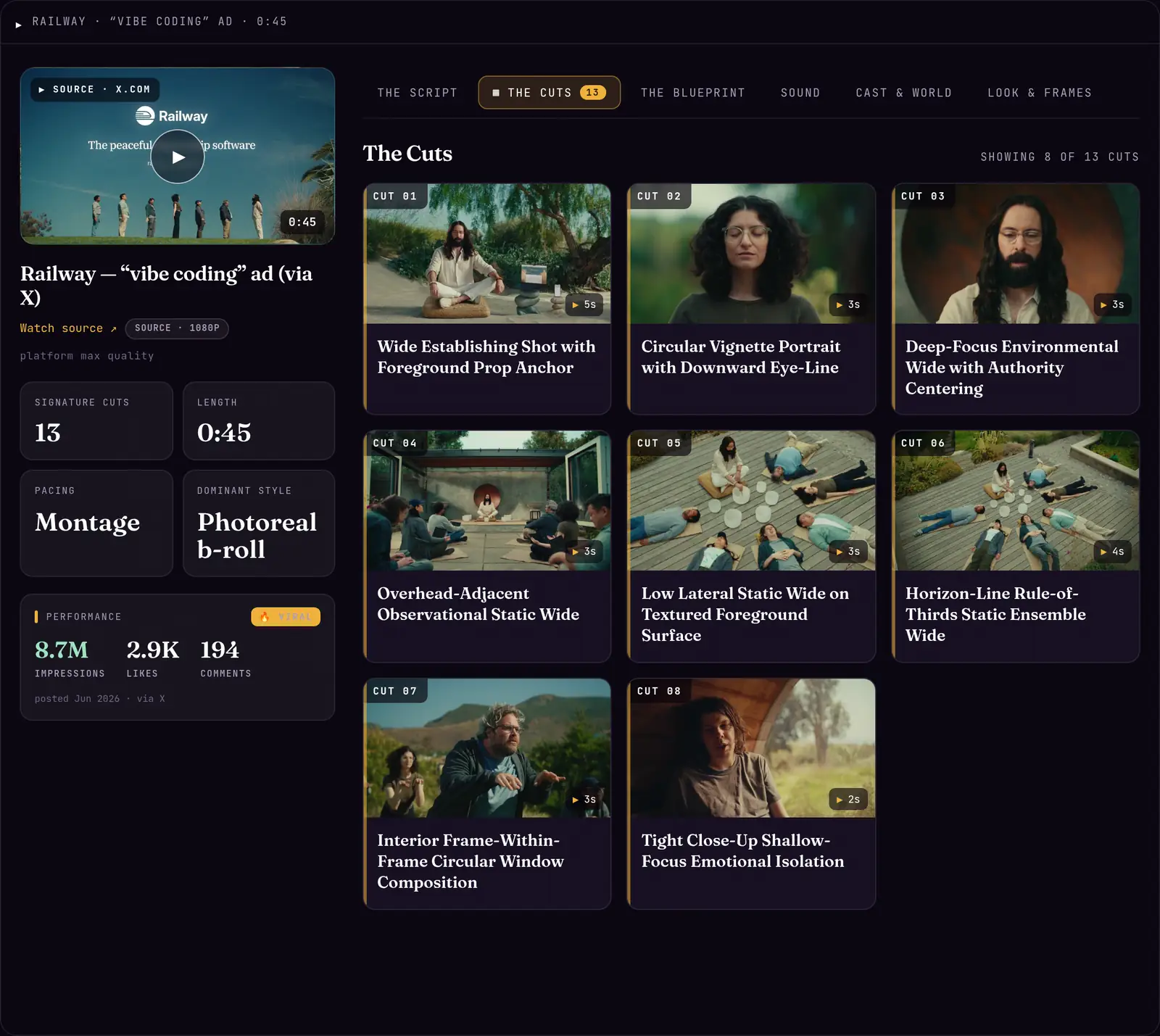 every moment, taken apart
Give the next video a place to begin.
Your analyses are the raw material. Canvas brings the moments, reasons and sources together around one clear direction.
Open Canvas coming soon
// canvas is in beta · the board opens when it is ready